

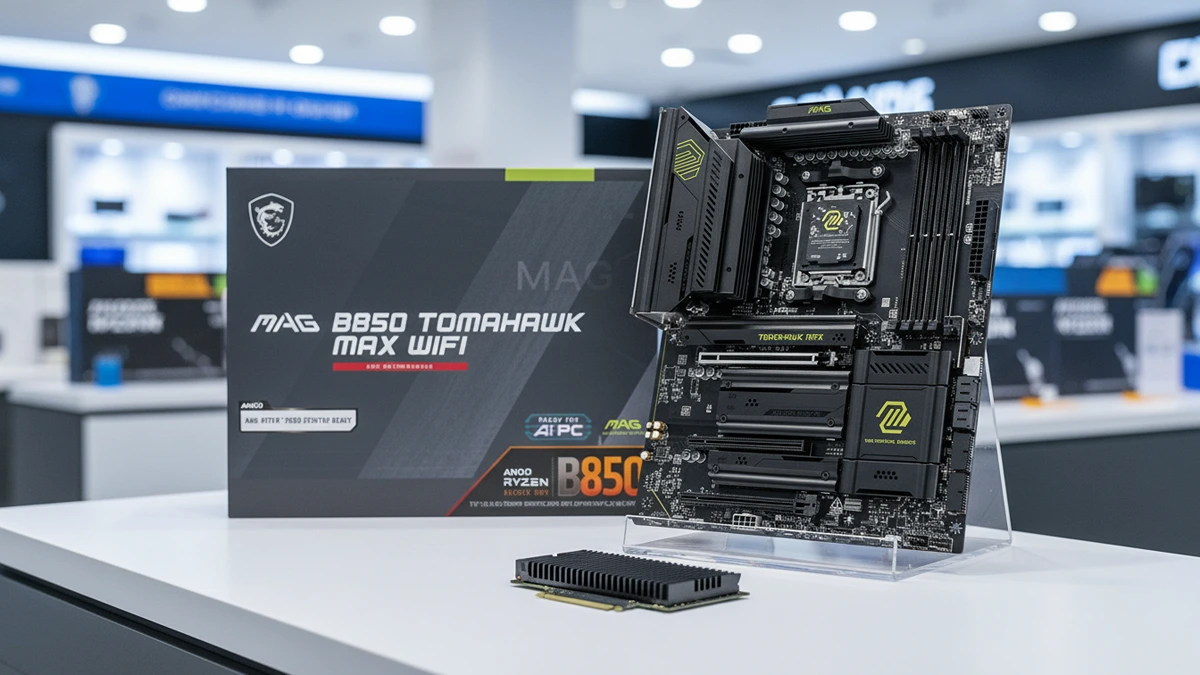
PC builders love bragging about specs like they’re prepping for a mission to Mars. Every year, the big hardware brands roll out “extreme” boards that look like they belong in a futuristic tank, complete with massive metal shrouds and glowing screens that rival your car payment. I’ve watched too many enthusiasts blow their entire budget on a board that gives them zero extra frames per second. Understanding your actual motherboard hardware limits is the difference between spending smart and getting played by marketing.
Most of these expensive features are a technical distraction that usually don’t live up to the hype. Manufacturers want you paying for things you’ll never touch, extreme voltage modules, liquid nitrogen support, specs built for people who aren’t you if you just want to game or edit video.
Why Board Hardware Capacity Is Often For Show
The main sales pitch behind a five hundred dollar board is the power delivery system. Brands love bragging about twenty or thirty power phases with massive amperage ratings, insisting you need that headroom for stability. The truth is, unless you’re running exotic cooling like liquid nitrogen, you’re paying for a board hardware capacity that you’ll never come close to reaching.
Most modern chips are already pushed to their thermal limits right out of the box. You won’t find a hidden speed boost by buying a board with more power phases. A mid-range board with decent cooling handles a high-end chip just fine. Even power-hungry chips don’t gain performance from these overbuilt boards during normal use.
Buying into the extreme power hype is like buying a race car to drive to the grocery store. Impressive on paper, useless in your actual workflow. You’re paying a tax for marketing labels that have nothing to do with how your PC runs day to day. Getting a real read on your board’s performance ceiling is the first step toward a smarter build.
Paying For Metal Shrouds And Other Technical Distractions
Look closely at a premium board and you’ll see heavy aluminum armor and lighting everywhere. These shrouds get marketed as thermal solutions, but most of that metal is purely cosmetic. You’re paying a serious markup for a design meant to look good behind glass, not to run cooler.
That’s a hidden cost with no real utility. Brands know gamers will pay more for something that looks professional. Tiny temperature screens, animated logos, none of it touches your actual data speeds. Great for their margins, bad for your wallet.
You can get the same essential tech on a board that looks more understated. If you’re not staring at your rig through a side panel all day, that extra cash is better spent elsewhere, a better graphics card, more storage. If rising costs are already a concern for your build, I broke down how rising tariff costs are quietly inflating hardware prices.
Why The MSI MAG B850 TOMAHAWK Wins On Core Specs
So what actually defines a board’s real hardware capacity? One that handles the latest hardware without the unnecessary fluff. PCIe 5.0 support future-proofs your storage and graphics. A solid networking stack with Wi-Fi 7 and at least 5G LAN keeps your connection stable without extra spend.
The MSI MAG B850 Tomahawk MAX WiFi respects your investment. It supports the latest Ryzen 9000 and 7000 processors without the six hundred dollar price tag. Its 80A SPS power system handles even demanding chips comfortably. You get the power you actually need, not the power someone’s trying to sell you.
It also includes quad M.2 connectors, two of them Gen5, giving you real storage headroom going forward. It’s a focused board that prioritizes what matters, Wi-Fi 7, high-speed memory support, without needing flashy lights to justify the price.
Connectivity Is The Only Premium Feature Worth Your Cash
While I hate paying for aesthetics, I do believe in paying for connectivity. The industry is moving toward faster networking, and your board is the foundation of that. Having 5G LAN and Wi-Fi 7 onboard is a genuine technical win. These features actually improve how you interact with the web and your local network.
Most budget boards still ship with outdated ports or older Wi-Fi standards. If you do a lot of file transfers or online gaming, the jump to 5G and Wi-Fi 7 is noticeable. It ensures your machine won’t be the bottleneck in your home office. The TOMAHAWK MAX includes these as standard, making it a savvy long-term choice.
Voltage stability also starts at the wall before it ever reaches your motherboard. Read my look at system power overhead to see why a massive unit is often a technical waste for most builds. I appreciate the inclusion of USB 20G Type-C and high-performance audio on the TOMAHAWK. These provide a better experience when connecting peripherals or using high-end headphones.
Does This Motherboard Spec Threshold Earn Its Keep
The idea that more expensive always means faster is a myth. You’re being asked to pay for extreme overclocking features and heavy shrouds that add zero real-world value. Unless you’re a competitive benchmarker, a five hundred dollar board is a poor technical investment. It simply doesn’t earn its keep, according to testing from The FPS Review.
The MSI B850 Tomahawk proves you can get high-tier connectivity and stable power for a fraction of the cost. It respects your money by skipping the party tricks and focusing on core hardware that actually holds up. You’re not compromising on performance, you’re just refusing to pay the enthusiast tax.
My take is simple. Don’t let marketing hype convince you a pricier board makes your PC faster. Buy the board with the ports you need and power delivery that matches your chip. Put the rest of your budget toward components that actually move the needle. Knowing your real motherboard hardware limits is how you protect your money and your build.
Check the current availability of the MSI MAG B850 TOMAHAWK here to see if you can finally stop overpaying for your motherboard.
MSI MAG

MSI Mag SystemBoard
B850 Tomahawk


